


Getting the most out of Batch
Welcome to the top party planning platform for groups—we’re thrilled you’ve joined the party! Get your celebration started with this complete guide (hello Type A’s!) to our app.
Get the FREE app


Setting Up the Party
Party Details
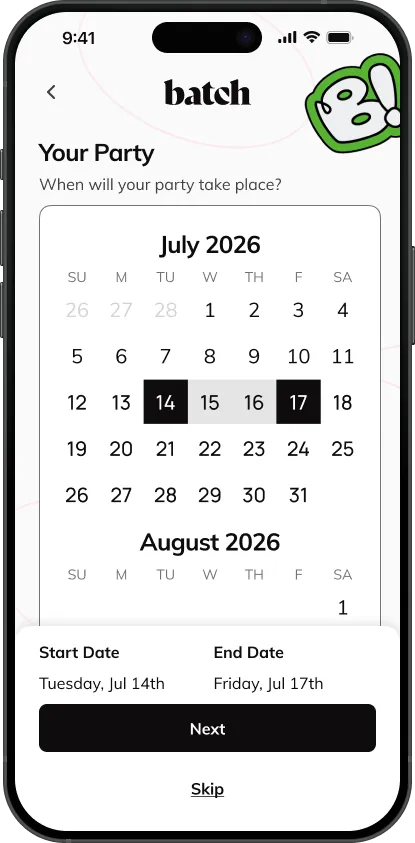
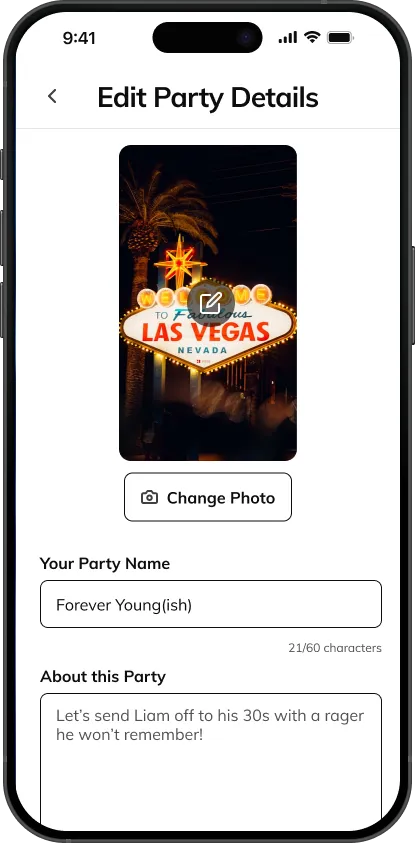
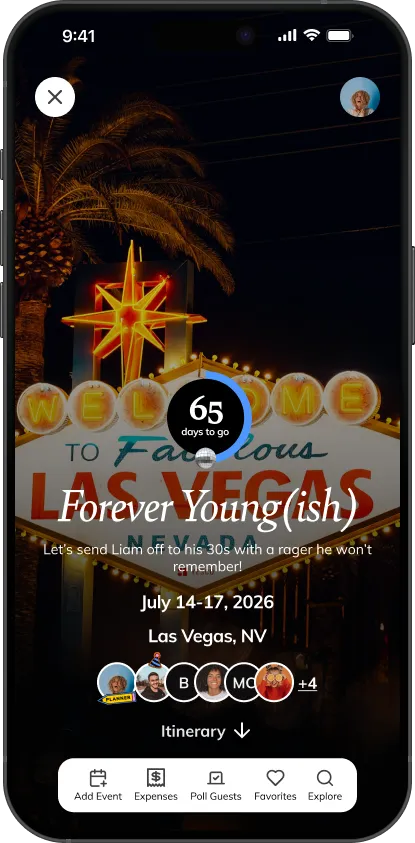
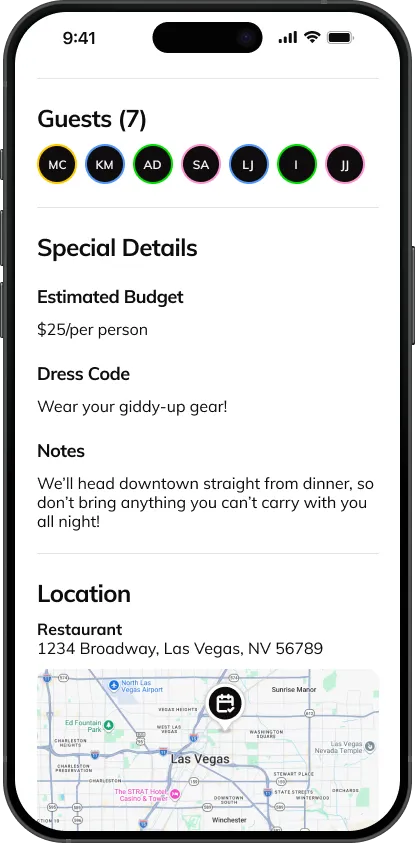
Choose the dates and location for your party. You can even designate a fun party hashtag for your event. Not sure of these details yet? You can skip for now and collaborate with your crew using our polling features.
.svg)
Inviting Guests
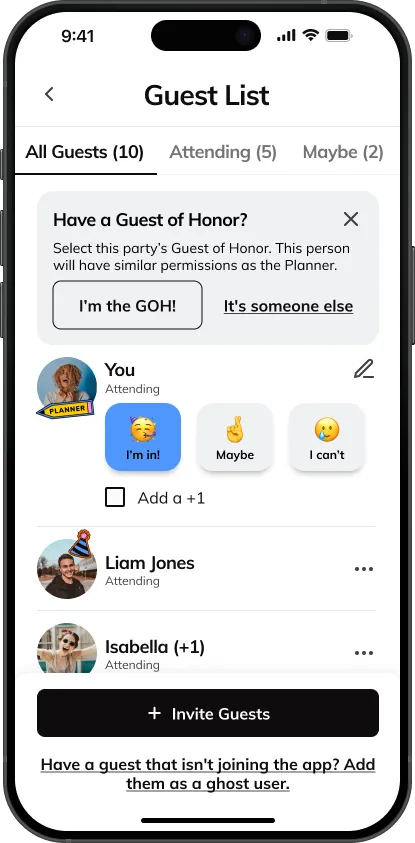
You can invite guests from your phone’s contact list, or add new contacts by entering their name and phone number or email address. They’ll receive a special link to RSVP and join in on the fun!
Guest Roles
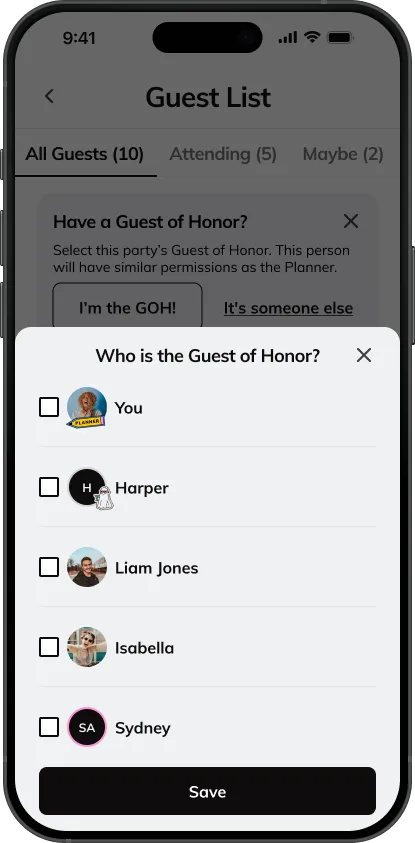
People attending the party can be designated as one of the following 3 roles:
- The Guest(s) of Honor
- Planner
- Guest
Guest of Honor & Planner App Permissions
As the Guest of Honor (GOH)or member of the party planning team, you have control over certain party settings.
Only guests designated as the GOH or Planner can do the following:
- Change background photo
- Change party dates or location
- Change guest’s role
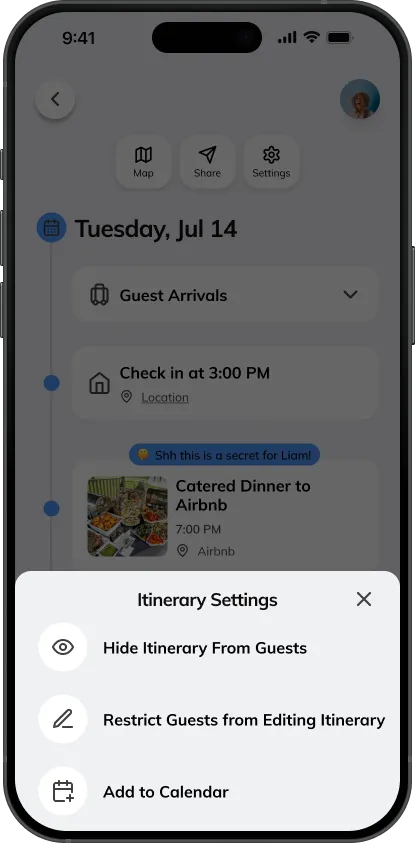
- Make itinerary private (Planning Mode)
- Control guests permissions
- Delete polls
- Delete or deactivate party
Planners can also create secret events hidden from the GOH or the rest of the party.
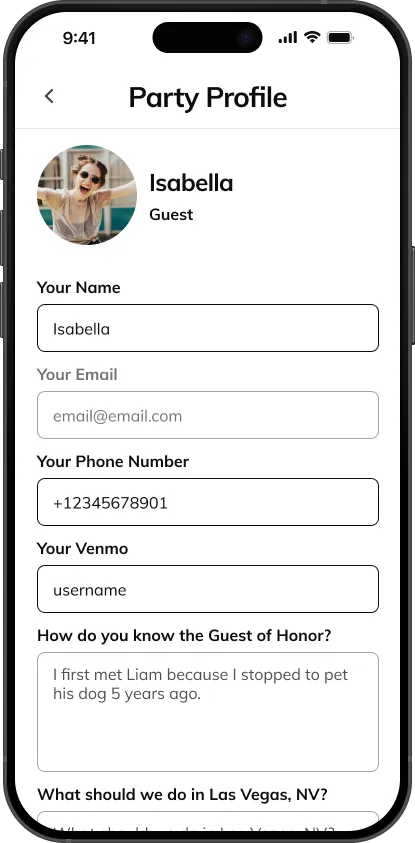
Guest Profiles
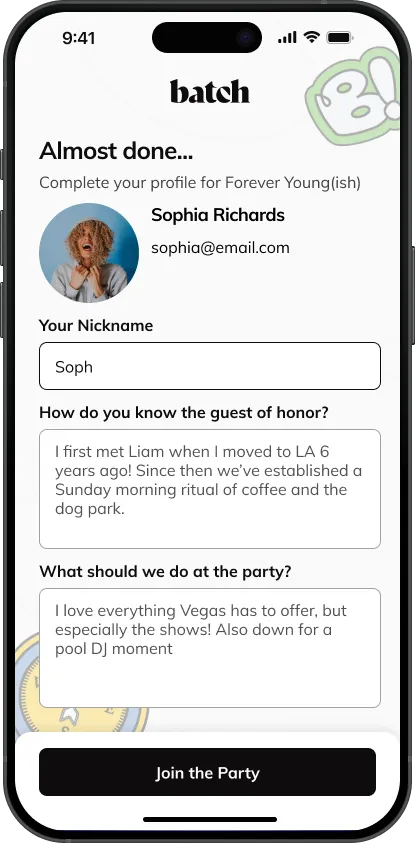
When guests complete their profiles, you’ll know everyone’s email address, phone number, Venmo handles, and birthday. They can even shout out how they know the Guest of Honor and make recommendations for the city you’re visiting.
Building the Shared Itinerary
Travel, Itinerary, and Accommodations Information
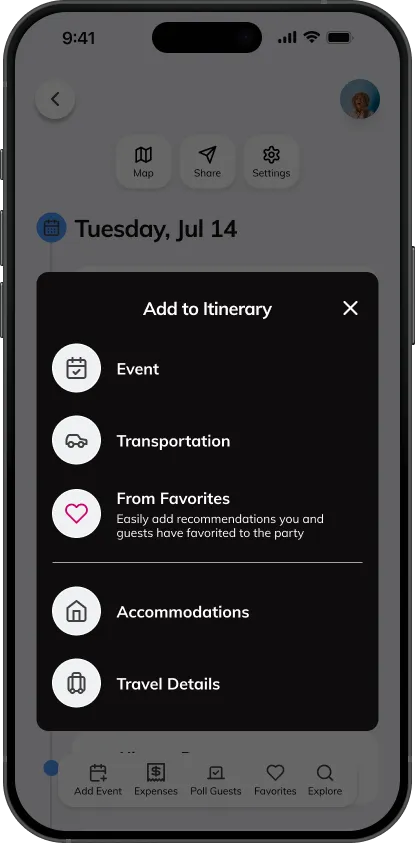
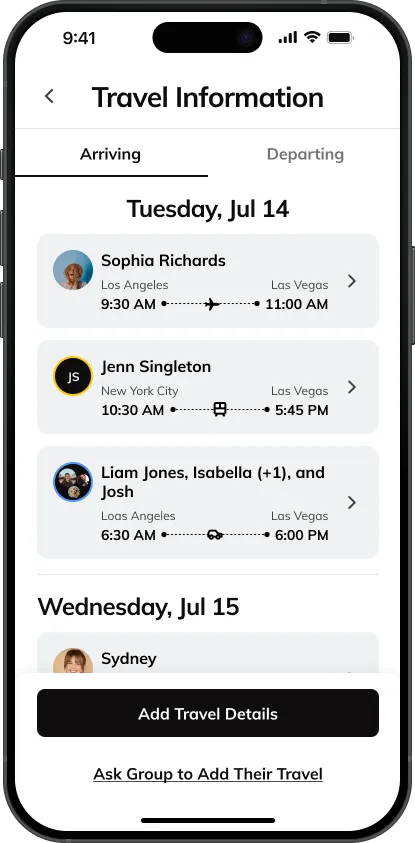
At the top of your itinerary, each guest can enter in their flight or other travel information, making it simple to keep track of who arrives when, where, and how. Planners and the Guest of Honor can choose when the itinerary is visible to all guests and determine whether or not all guests can add events.
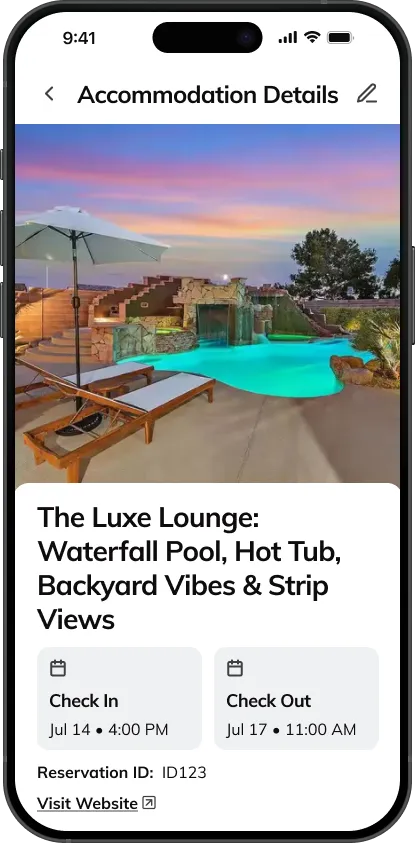
You can enter in the group’s home rental or hotel information, including the address and check-in and check-out times. You can also add additional information such as check-in instructions or the WIFI password.
Events
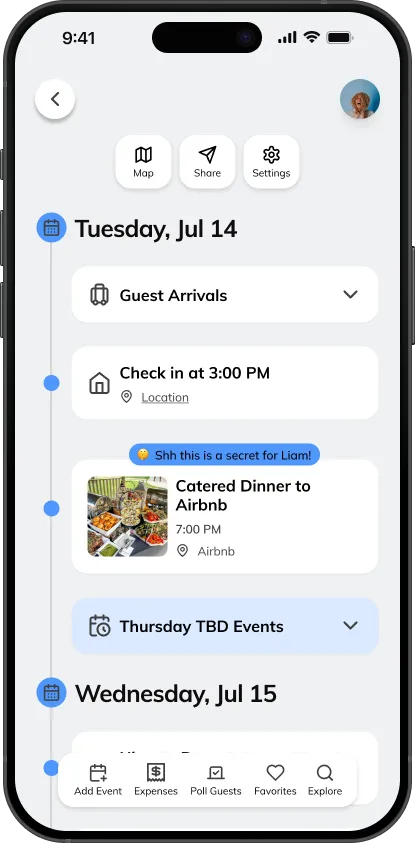
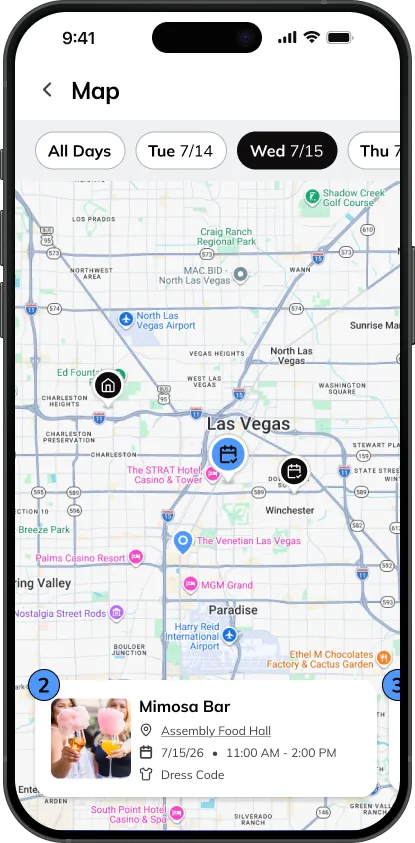
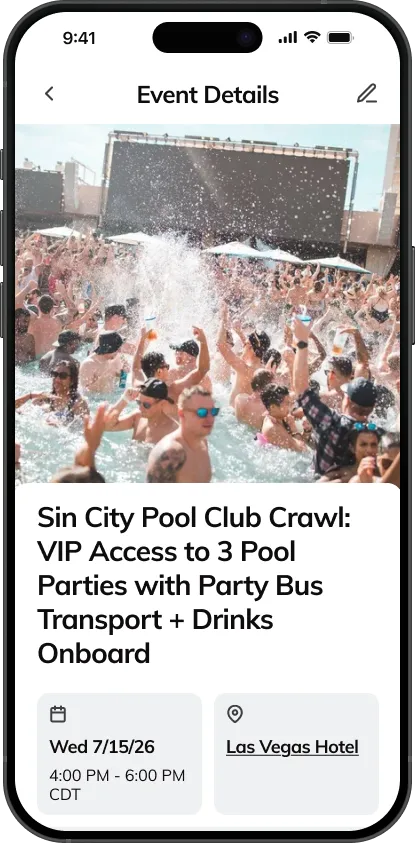
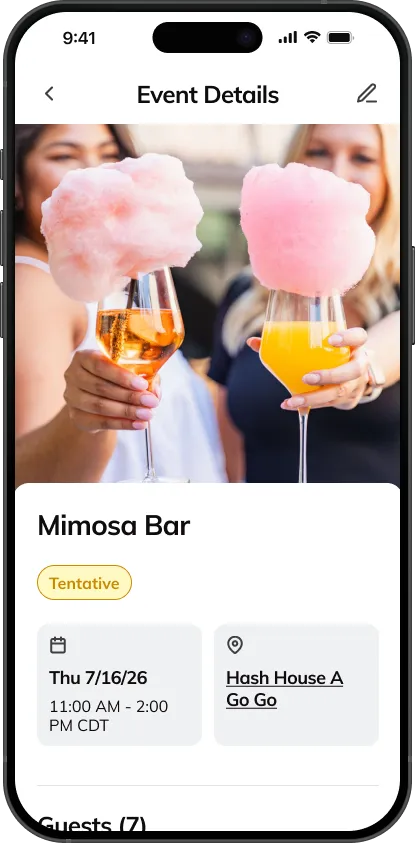
Now for the fun stuff! You can enter all of your party’s events into the shared itinerary, and everyone will be able to keep up with the latest happenings. Add a custom image to each event to add to the excitement!
Collaborating on Plans
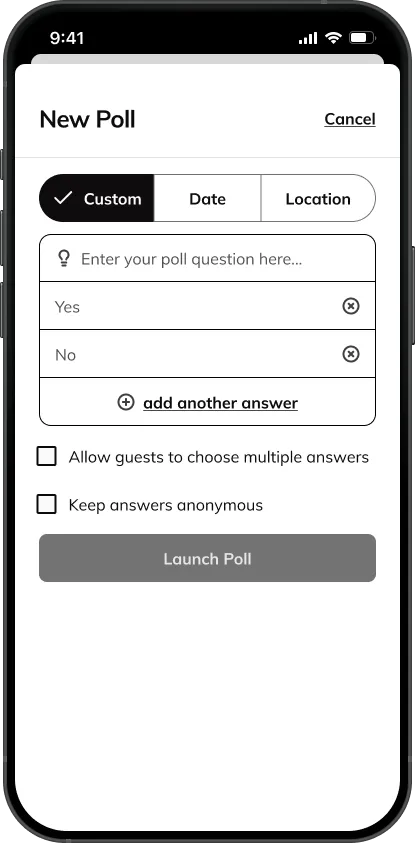
Launching Polls
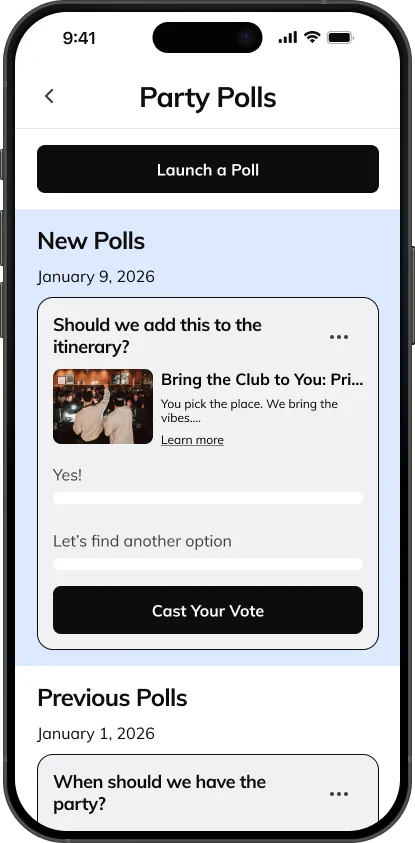
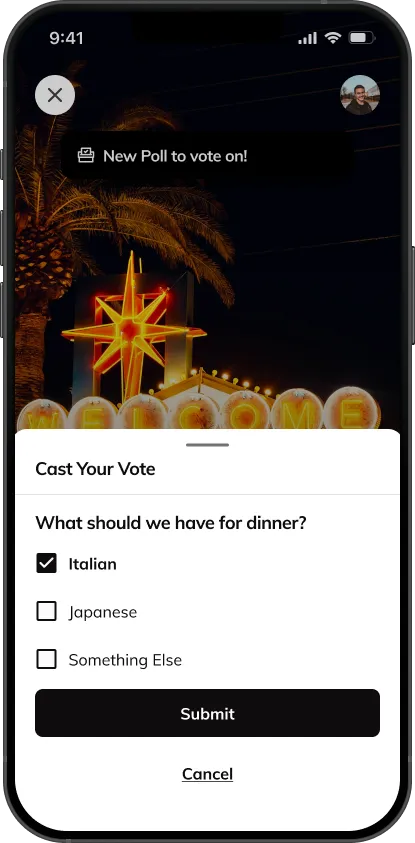
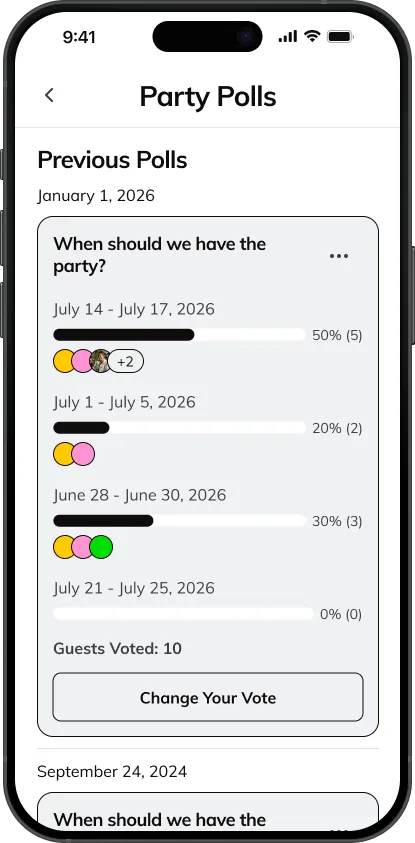
Use the polling feature to ask the group their preferences on dates, location, home rentals, restaurant recommendations, events, budgets, or any other topic in which you’d like their opinion. You can even choose whether or not the results are anonymous.
Booking Batch Experiences
Explore the Batch Marketplace
Tap the Explore tab at the bottom of the screen to access a list of all experiences, services, places to stay and restaurants and bars available in your destination. You can search our marketplace for listings that match what you’re looking for. Or, if you want some inspiration you can filter listings by our predefined tags.
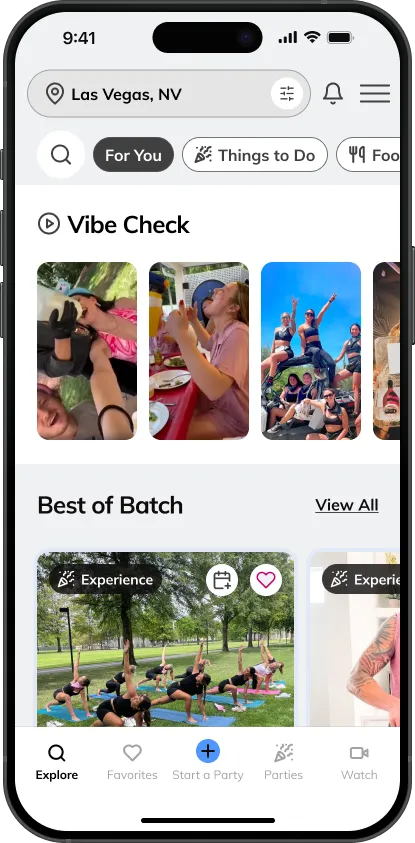
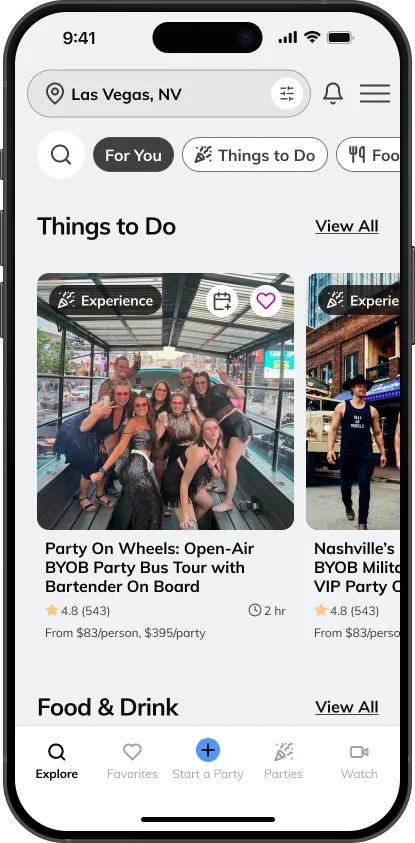
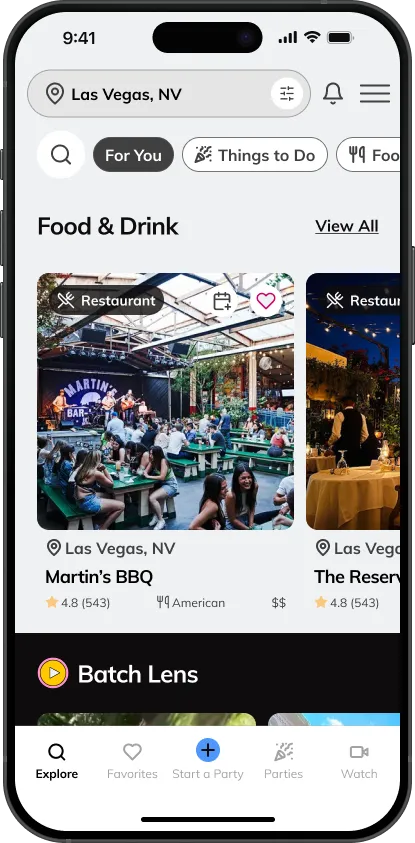
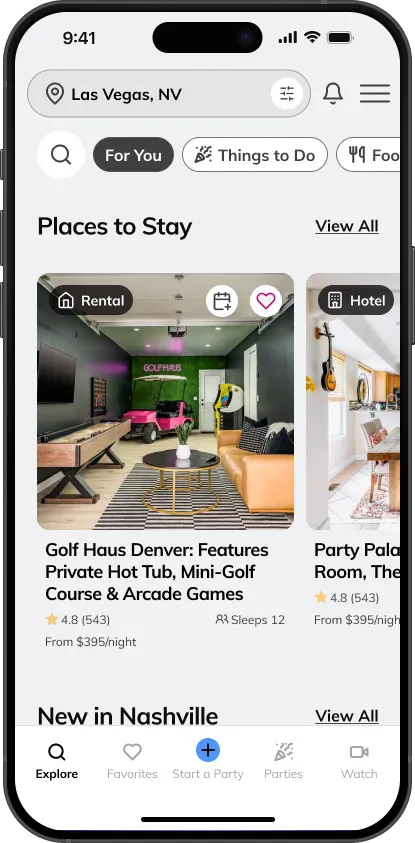
Pick the Right Experience for Your Party
When you tap on a listing, you can view more information such as pricing, details about what your group will do, info about the vendor, and different package options. You can also swipe through additional images and videos and read reviews from other parties.


Favoriting and Sharing Experiences
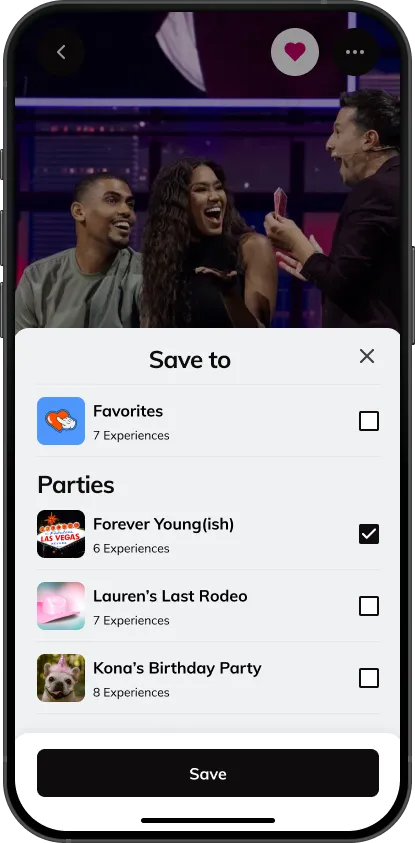
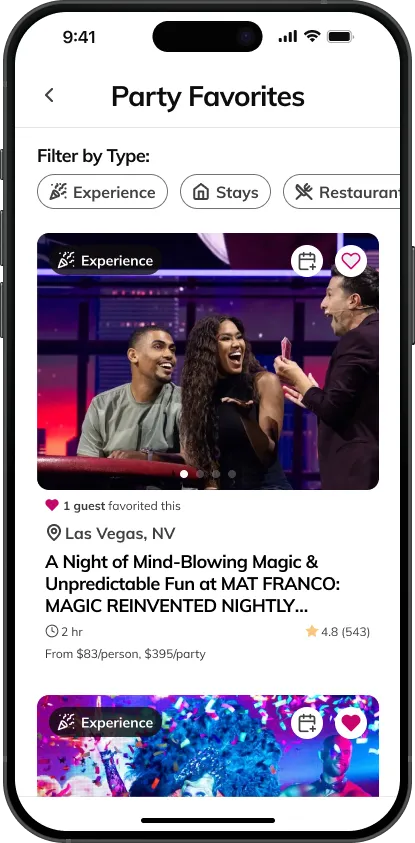
Guests can tap the heart icon on a listing to favorite it. You can save it to a specific party for all of your guests to see or a general Favorites folder only for you. You also have the option to share the listing via SMS text messaging or copying/pasting a link.
Booking Experiences
When you book an experience through Batch, your reservation is either instantly booked or our customer service team will complete your reservation with our partner, and send you an email confirming your reservation details usually within 24 hours or less.
Refunds and Cancellations
Our experience partners are able to choose from 3 cancellation options to offer your group when booking:

Generous Cancellation
This experience partner offers a full refund on cancellations with 7+ days notice. No refund within 7 day window.

Moderate Cancellation
This experience partner offers a 50% refund on cancellations with 7+ days notice. No refund within 7 day window.


Strict Cancellation
This experience partner offers no refunds once the reservation is confirmed.
You can always ask us specific questions about an experience by starting a chat with our member experience team.
No Additional Fees
Batch has built a network of experience hosts, operators, and vendors that are excited to host your party. We make it easy to see all the best ideas and provide an easy platform to book activities for your party. We never add additional fees to our vendor’s prices, so you can plan at ease knowing you’re booking a Batch favorite experience at no extra cost. If you do spot a lower price, just let our member experience team know and we’ll match it! When booked, your experience will automatically be added to the shared itinerary for your group.
Tracking Expenses
Overview
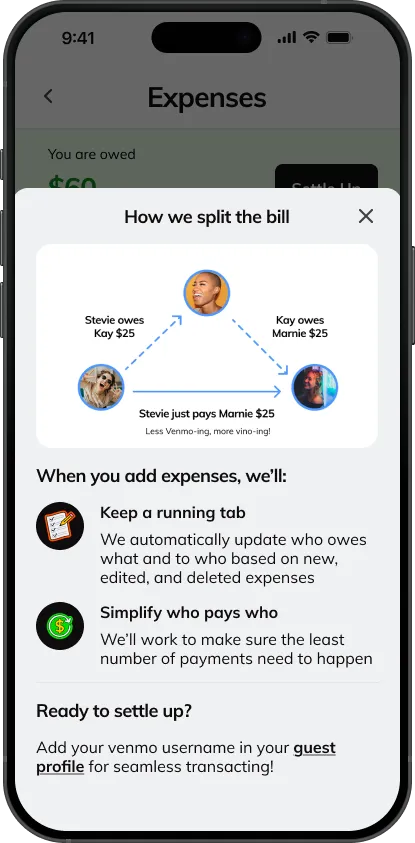
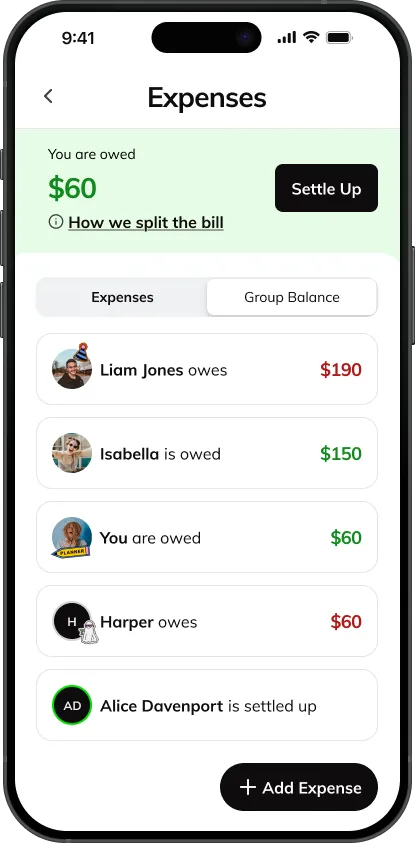
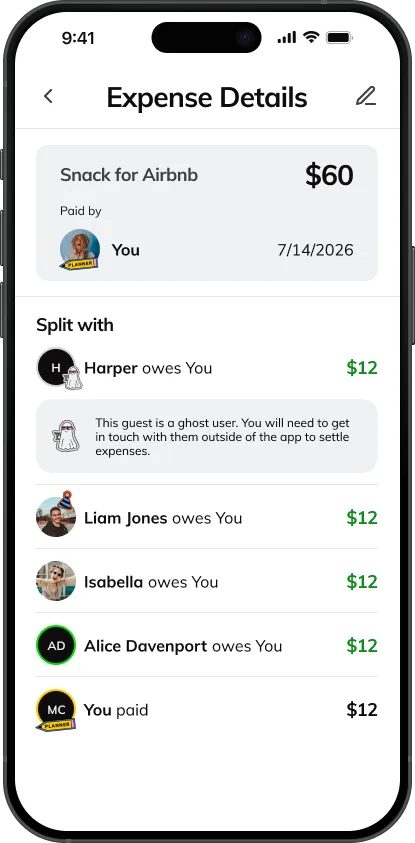
The Batch app does not handle actual payments within your group—instead, view our expenses feature more as a tab or ledger. You can log payments made through other methods to keep your group’s ledger updated. This is your own personal group calculator to stay updated on who owes what.
Your Tab
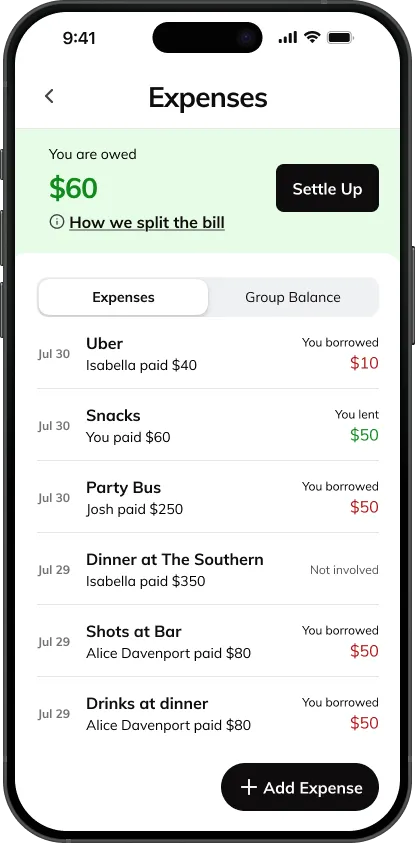
At the top of the Expenses page, you’ll see an overview of how much you owe or are owed after we have done all the math.
Adding Expenses
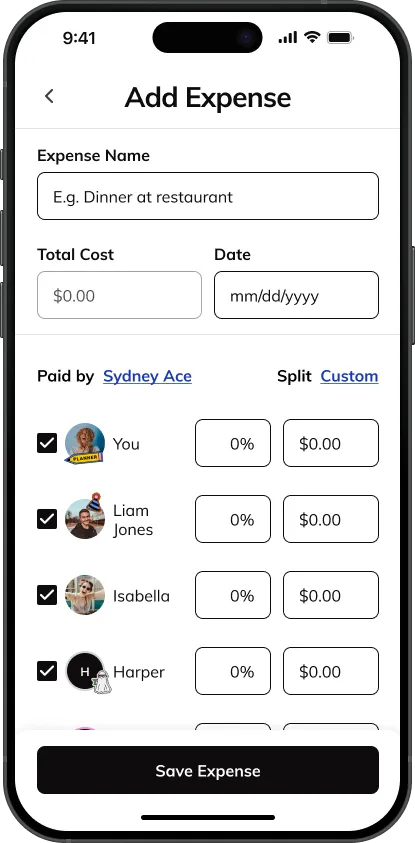
You can add two expense types: an expense accrued from an event on your itinerary, or a custom new expenses. Entering an expense pulled from an itinerary event preloads some information for you already, while adding a custom expense gives you a blank slate (think, a round of drinks or an Uber ride).
Settling Up
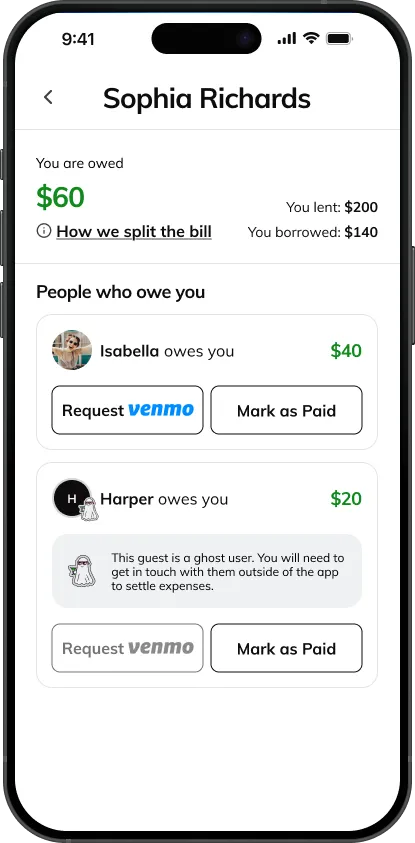
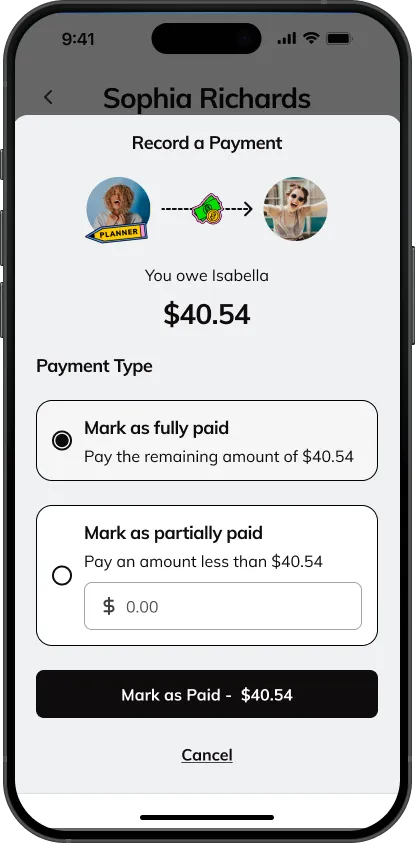
Once you have paid or received a payment from a money-sharing app, like Venmo, you can record that payment in the Batch app. You have the option to mark yourself as fully paid up or record a partial payment.
Instagram & TikTok: Giveaways, Bachelorette Polls, Promotions and Exclusive Content
Follow us on Instagram and TikTok to win fun prizes, stay up to date on party trends, engage with other brides in fun polls, laugh at memes and jokes aimed at you and your friends, and view exclusive Batch content.
Batch Blog
We’re always updating our blog with articles for brides, maid of honors, bridesmaids, and fun party people in general. Read up on all the latest party trends and topics here.
Tell Your Friends About Batch
Batch makes planning parties simple and fun! Tell your friends about us so they’ll also use our app when it’s time for their party, and you’ll all save the headache for the hangover.
Invitation to download BACH App to plan bachelorette parties. Download here: https://go.onelink.me/wWg6/fd92e255